Best AI Tools for Students That Actually Save Time
Published: 08 Dec 2025
In today’s fast-paced academic world, students are juggling assignments, exams, classes, and part-time work. That’s exactly why the Best AI Tools for Students have become essential for staying productive, improving learning speed, and reducing stress.
Whether you want help with writing, research, note-taking, presentations, or time management, AI tools can completely transform the way you study.
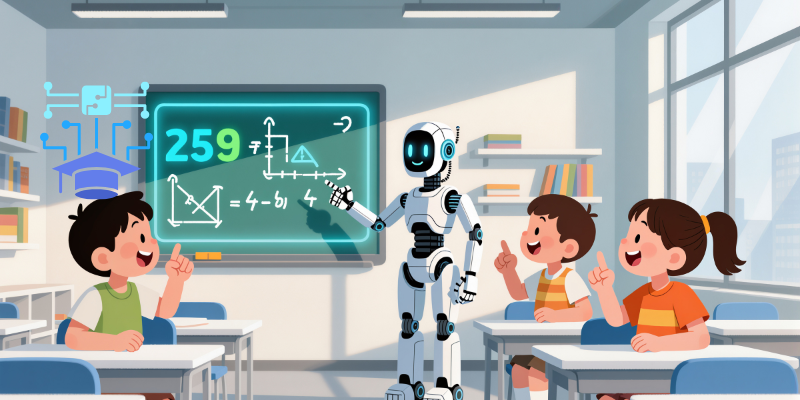
This guide highlights the most reliable, student-friendly AI tools, including smart apps for revision, brainstorming, citation generation, and even AI tools that work without internet.
Let’s explore the tools that genuinely save hours every week.
1. Notion AI – The All-in-One Study Organizer
Best for: Notes, planning, study schedules, summaries, productivity
Notion AI is one of the Best AI Tools for Students because it helps you organize your entire academic life in one place. It can auto-summarize lecture notes, convert bullet points into full study answers, and generate revision plans in seconds.
Why students love it
- Smart note-taking
- Turns messy info into clean study material
- Helps with personal productivity and planning
- Great for group projects and shared study pages
2. Grammarly – The Perfect Writing Assistant
Best for: Essays, assignments, reports, emails
Grammarly goes beyond grammar checking, it improves clarity, tone, vocabulary, and academic style. It’s perfect for students who want polished writing without spending hours editing.
Top features
- Real-time grammar and plagiarism checks
- Enhances sentence structure
- Academic writing suggestions
- Works with Word, Google Docs, and browsers
3. QuillBot – Fast Rewriting and Summaries
Best for: Paraphrasing study notes, rewriting assignments, summarizing long texts
QuillBot is known for helping students rewrite content in unique ways while keeping the meaning intact. It’s excellent for research-heavy subjects or revising large chapters quickly.
Why it saves time
- Paraphrases in different tones
- Built-in citation generator
- Summarizes PDFs and research papers
4. Perplexity AI – The Smart Research Companion
Best for: Research projects, finding reliable academic sources
Perplexity AI is perfect for students who need quick, accurate answers backed by sources. Unlike normal search engines, it delivers short, trustworthy explanations with citations.
Key benefits
- Great for last-minute research
- Source-backed answers
- Reduces time spent scanning multiple websites
5. Speechify – Turn Text Into Audio
Best for: Students who prefer audio learning
If you struggle with long reading sessions, Speechify is a game-changer. It turns textbooks, articles, and PDFs into clear audio so you can study while walking, traveling, or resting.
Standout features
- Multiple voice choices
- Reads textbooks aloud
- Helps with comprehension and retention
6. Microsoft Copilot – Your AI Study Partner
Best for: Homework help, explanations, coding, presentations, math
Copilot is one of the Best AI Tools for Students because it supports every subject: math, science, literature, coding, and even presentations. It integrates with Word, PowerPoint, and Excel.
Why it saves hours
- Solves math with steps
- Makes PowerPoint slides
- Helps write and edit essays
- Generates charts and tables
7. Anki – Smart Flashcards Powered by AI
Best for: Memorization, exam prep, medical and engineering students
Anki uses spaced repetition, one of the most effective learning techniques. Its AI system schedules flashcards exactly when you’re about to forget, improving long-term memory.
Student benefits
- Perfect for formulas, definitions, diagrams
- Tracks your weak areas
- Works offline for distraction-free study
8. Evernote / OneNote AI – Efficient Note Management
Best for: Handwritten notes, class recordings, organized study material
These note-taking apps now include AI features such as text cleaning, tagging, and auto-summaries. Students can record lectures, convert handwriting into text, and organize topics easily.
9. Offline AI Tools – Study Anywhere, Anytime
If you are in a low-connectivity area, some AI tools that work without internet include offline flashcard apps, AI dictionaries, and minimal AI writing assistants. These tools help you stay productive even without Wi-Fi.
Why the Best AI Tools for Students Matter
Using AI tools isn’t cheating, it’s smart learning. These tools help with:
- Faster comprehension
- Better productivity
- Improved writing quality
- Stronger research skills
- Higher exam performance
Students who use AI effectively can save 5–7 hours per week, reduce stress, and stay ahead in academics.
Conclusion
The Best AI Tools for Students can completely transform your study routine. Whether you want help with notes, writing, research, memorization, or time management, these AI-powered solutions make learning faster and more efficient.
Pick a few from this list, use them consistently, and you’ll see a huge improvement in your academic performance.
The Best AI Tools for Students include Notion AI, Grammarly, QuillBot, Perplexity AI, Copilot, Anki, and Speechify. These tools help with writing, note-taking, research, summaries, and exam preparation.
Yes. AI tools improve productivity, understanding, writing quality, and learning outcomes. They save time and help students study smarter.
Most institutions allow AI tools for support (summaries, grammar, research), but not for submitting AI-generated work as original content. Use them responsibly.
Grammarly and Microsoft Copilot are excellent for essay writing, editing, structure improvement, and tone correction.
Anki and Quizlet use spaced repetition methods that help students memorize formulas, definitions, and complex topics.
Yes. Some flashcard apps, note-taking apps, and minimal writing assistants fall under AI tools that work without internet, making them ideal for offline study.
AI assists with quick summaries, drafting essays, organizing notes, generating citations, solving math problems, and simplifying research, saving hours per week.






- Be Respectful
- Stay Relevant
- Stay Positive
- True Feedback
- Encourage Discussion
- Avoid Spamming
- No Fake News
- Don't Copy-Paste
- No Personal Attacks
- Be Respectful
- Stay Relevant
- Stay Positive
- True Feedback
- Encourage Discussion
- Avoid Spamming
- No Fake News
- Don't Copy-Paste
- No Personal Attacks
