How to Protect Your Phone from Hackers: A Complete Security Guide
Published: 21 Dec 2025
Smartphones store our personal data, banking details, passwords, and private conversations, making them a prime target for cybercriminals. Knowing how to protect your phone from hackers is no longer optional, it’s essential in today’s digital world.
This guide explains the most effective ways to secure your phone, avoid common hacking techniques, and keep your personal information safe.
Why Hackers Target Smartphones
Hackers attack phones because they often contain:
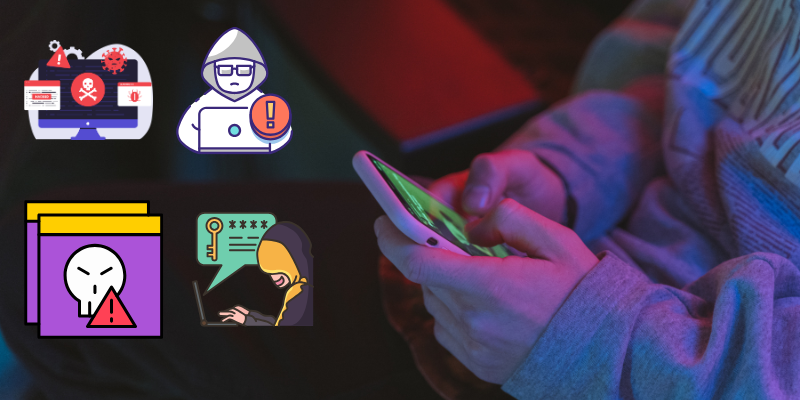
- Saved passwords and banking apps
- Personal photos and messages
- Email and social media accounts
- Location and contact data
Understanding how to protect your phone from hackers starts with recognizing these risks.
Common Ways Hackers Hack Phones
Before learning protection methods, it’s important to know how attacks happen.
Malicious Apps
Some apps contain hidden malware that steals data once installed.
Public WiFi Attacks
Unsecured public WiFi allows hackers to intercept your data.
Phishing Messages
Fake emails, texts, and pop-ups trick users into giving access.
Outdated Software
Old operating systems have security gaps hackers exploit.
How to Protect Your Phone from Hackers: Essential Steps
1. Keep Your Phone Updated
Software updates fix security vulnerabilities. Always install:
- Operating system updates
- App updates
- Security patches
This is one of the simplest but most effective ways to protect your phone.
2. Download Apps Only from Trusted Sources
Avoid installing apps from unknown websites or unofficial stores. Even free apps can hide spyware or malware.
Tip: Check app reviews and permissions before installing.
3. Use Strong Screen Locks
A weak PIN makes hacking easier. Use:
- Long PINs
- Passwords
- Fingerprint or face authentication
This prevents unauthorized physical access to your device.
4. Enable Two-Factor Authentication
Two-factor authentication adds an extra layer of protection to your accounts, making it harder for hackers to log in even if they steal your password.
5. Be Careful with Public WiFi
Public WiFi is a common hacking hotspot. If you must connect:
- Avoid banking or sensitive apps
- Turn off auto-connect
- Use a secure connection
Learning How to Secure Your WiFi Network from Hackers also protects your phone at home.
6. Secure Your Home WiFi Network
An unsecured home network puts all devices at risk.
To secure your WiFi:
- Change default router passwords
- Use strong encryption
- Update router firmware
- Disable unused network features
Understanding How to Secure Your WiFi Network from Hackers is critical for complete phone security.
7. Avoid Clicking Suspicious Links
Phishing attacks often come through:
- SMS messages
- Emails
- Social media DMs
Never click unknown links or download attachments from untrusted sources.
8. Review App Permissions Regularly
Many apps request unnecessary permissions. Check and disable access to:
- Camera
- Microphone
- Location
- Contacts
Limiting permissions reduces data exposure.
9. Install a Mobile Security App
Trusted mobile security apps can:
- Detect malware
- Block phishing sites
- Alert suspicious activity
They add an extra defense layer to protect your phone from hackers.
10. Back Up Your Data
If your phone is compromised, backups ensure you don’t lose important data. Use:
- Cloud backups
- Offline backups
This protects you from ransomware and data loss.
Signs Your Phone May Be Hacked
Watch for these warning signs:
- Unusual battery drain
- Overheating
- Pop-up ads
- Unknown apps installed
- High data usage
If you notice these, act immediately.
What to Do If Your Phone Gets Hacked
If you suspect hacking:
- Disconnect from the internet
- Change all passwords
- Remove suspicious apps
- Update your software
- Reset your phone if needed
Quick action can prevent serious damage.
Why Phone Security Matters More Than Ever
With digital payments, remote work, and online communication increasing, smartphones have become digital wallets and identity hubs. Learning how to protect your phone from hackers helps prevent financial loss, identity theft, and privacy violations.
Conclusion
Protecting your phone doesn’t require advanced technical skills. By following basic security practices, staying alert, and understanding How to Secure Your WiFi Network from Hackers, you can significantly reduce the risk of cyberattacks.
In today’s connected world, phone security is not just smart, it’s necessary.
You can protect your phone by updating software, avoiding suspicious apps, using strong passwords, and enabling two-factor authentication. These steps require no extra cost.
Yes, hackers can access phones remotely through malicious apps, phishing links, or unsecured WiFi networks. Proper security settings reduce this risk.
Yes, public WiFi can expose your data to hackers. Avoid sensitive activities and learn How to Secure Your WiFi Network from Hackers for safer connections.
Yes, reputable mobile security apps can detect malware, block phishing attacks, and enhance overall phone protection.
Ignoring software updates and installing unknown apps are the most common mistakes that expose phones to hackers.






- Be Respectful
- Stay Relevant
- Stay Positive
- True Feedback
- Encourage Discussion
- Avoid Spamming
- No Fake News
- Don't Copy-Paste
- No Personal Attacks
- Be Respectful
- Stay Relevant
- Stay Positive
- True Feedback
- Encourage Discussion
- Avoid Spamming
- No Fake News
- Don't Copy-Paste
- No Personal Attacks
