How to Speed Up a Slow Laptop: Simple Fixes That Actually Work
Published: 18 Dec 2025
A slow laptop can be incredibly frustrating, especially when simple tasks like opening a browser or typing a document take forever. If you’re wondering How to Speed Up a Slow Laptop without buying a new one, you’re in the right place.
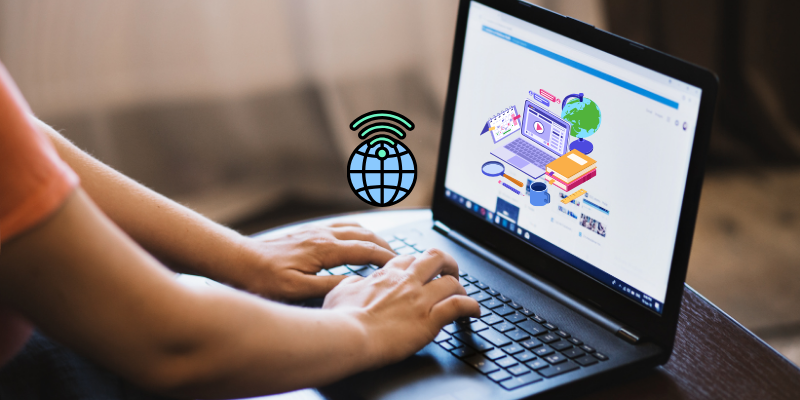
In most cases, sluggish performance is caused by software overload, poor maintenance, or outdated hardware. The good news is that you can fix many of these issues quickly and affordably, sometimes using Best Budget Gadgets that give your laptop a second life.
Why Do Laptops Become Slow Over Time?
Before learning How to Speed Up a Slow Laptop, it helps to understand why laptops slow down:
- Too many startup programs
- Low storage space
- Outdated operating system or drivers
- Malware or background apps
- Insufficient RAM
- Old hard drives instead of SSDs
These issues build up gradually, making even powerful laptops feel unusable.
How to Speed Up a Slow Laptop Without Spending Money
1. Disable Unnecessary Startup Programs
Many apps launch automatically when you turn on your laptop, slowing boot time and performance.
What to do:
- Open Task Manager
- Go to Startup
- Disable apps you don’t need immediately
This is one of the fastest ways to speed up your laptop.
2. Free Up Disk Space
Low storage affects system speed significantly.
Quick tips:
- Delete temporary files
- Remove unused software
- Clear browser cache
- Move large files to cloud storage
Keeping at least 20 percent free space helps maintain smooth performance.
3. Update Your Operating System and Drivers
Outdated software can cause performance bugs and compatibility issues.
Updating your OS:
- Improves speed and stability
- Fixes background performance problems
- Enhances security
This step alone often solves common slowdown issues.
4. Scan for Malware and Unwanted Software
Malware silently consumes resources and slows your laptop.
Run a full system scan using:
- Built-in security tools
- Trusted antivirus software
Removing harmful programs can dramatically improve speed.
Hardware Upgrades That Make a Huge Difference
If software fixes are not enough, small upgrades can transform performance.
5. Upgrade to an SSD
Replacing a traditional hard drive with a solid-state drive is one of the best ways to speed up a slow laptop.
Benefits:
- Faster boot times
- Quicker app loading
- Smoother multitasking
An SSD is considered one of the Best Budget Gadgets for laptops today.
6. Add More RAM
If your laptop struggles with multitasking, low RAM may be the issue.
Adding RAM:
- Improves responsiveness
- Reduces freezing
- Enhances overall performance
Even an upgrade from 4GB to 8GB can make a noticeable difference.
Optimize Laptop Settings for Better Performance
7. Adjust Power Settings
Laptops often default to power-saving modes that limit performance.
Switching to performance mode:
- Increases processing speed
- Improves responsiveness
- Helps during heavy tasks
This is especially helpful for older laptops.
8. Reduce Visual Effects
Fancy animations look good but slow down older systems.
Turning off visual effects:
- Frees up system resources
- Makes the interface more responsive
This is a simple tweak with visible results.
Keep Your Laptop Fast Long-Term
9. Clean Your Laptop Physically
Dust buildup can cause overheating, leading to slow performance.
Regular cleaning:
- Improves airflow
- Prevents thermal throttling
- Extends hardware life
10. Use Lightweight Apps
Replacing heavy software with lightweight alternatives can improve speed.
Examples:
- Lightweight browsers
- Simple productivity apps
- Cloud-based tools
These small changes add up to better performance.
Are Budget Solutions Worth It?
Absolutely. Many Best Budget Gadgets like SSDs, RAM upgrades, cooling pads, and USB storage provide massive speed improvements at low cost. You don’t need a new laptop to enjoy fast performance.
Final Thoughts
Knowing How to Speed Up a Slow Laptop can save you time, money, and frustration. With proper maintenance, smart settings, and a few affordable upgrades, even an old laptop can feel fast again.
Instead of replacing your device, optimize it. A faster laptop boosts productivity, improves focus, and extends the life of your investment.
You can speed up a slow laptop by disabling unnecessary startup programs, clearing unused files, updating your operating system, and removing malware. These steps reduce background load and improve overall performance without any cost. Regular maintenance keeps your laptop running smoothly for longer.
The most effective upgrade is replacing a traditional hard drive with an SSD. This significantly improves boot time, file access speed, and application performance. SSDs are also considered one of the Best Budget Gadgets for upgrading old laptops.
Yes, adding more RAM improves multitasking and reduces freezing when running multiple applications. It allows your system to handle heavier workloads efficiently. Even a small RAM upgrade can noticeably improve speed on older laptops.
Laptops slow down due to software clutter, background apps, low storage space, outdated drivers, and dust buildup. Over time, these issues strain system resources. Regular cleaning and optimization help prevent long-term slowdowns.




- Be Respectful
- Stay Relevant
- Stay Positive
- True Feedback
- Encourage Discussion
- Avoid Spamming
- No Fake News
- Don't Copy-Paste
- No Personal Attacks
- Be Respectful
- Stay Relevant
- Stay Positive
- True Feedback
- Encourage Discussion
- Avoid Spamming
- No Fake News
- Don't Copy-Paste
- No Personal Attacks
