Why Phone Charges but Battery Percentage Doesn’t Increase
Published: 15 Mar 2026
Many smartphone users face a confusing issue where their phone charges but battery percentage doesn’t increase. You plug your phone into the charger, the charging icon appears, yet the battery percentage remains the same or even drops slowly. This situation can be frustrating, especially when you urgently need your device.
Understanding why a phone charges but battery percentage doesn’t increase is important because the problem can be caused by different factors such as faulty cables, background apps draining power, software glitches, or even battery damage. In this guide, we’ll explore the most common reasons behind this issue and the practical solutions you can try to fix it.
What Does It Mean When Your Phone Shows Charging but the Battery Percentage Stays the Same?
When your phone shows that it is charging but the battery level does not increase, it usually means the device is using power faster than it receives it. In other words, the electricity coming from the charger is not enough to compensate for the energy your phone is consuming.
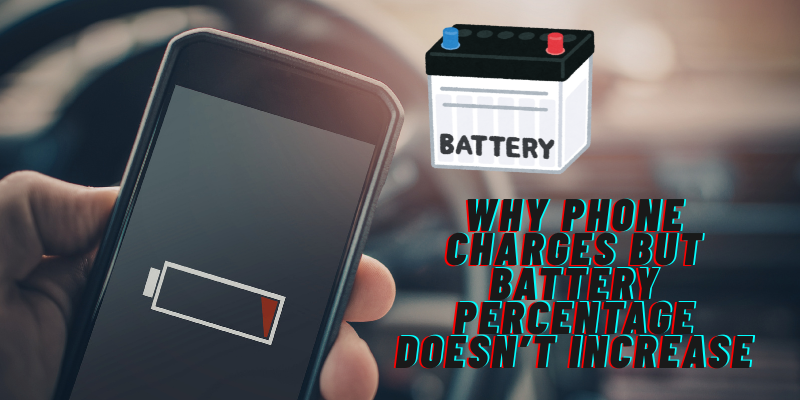
This situation can happen due to heavy background activity, overheating, weak charging accessories, or internal battery problems.
Common Reasons Why Phone Charges but Battery Percentage Doesn’t Increase
Let’s look at the most frequent causes behind this issue.
1. Faulty Charging Cable or Adapter
One of the most common reasons why phone charges but battery percentage doesn’t increase is a damaged charging cable or adapter.
Charging cables wear out over time because they are bent, twisted, or pulled frequently. A cable that looks fine externally may still have internal damage that limits power delivery.
Signs of a faulty charger include:
- Phone charges very slowly
- Charging stops when the cable moves
- Battery percentage stays the same
Fix
Try using:
- A different charging cable
- The original charger that came with the phone
- A certified fast charger
Replacing the cable often solves the problem instantly.
2. Background Apps Draining Battery
Another major cause is apps consuming power in the background. If many apps are running, the phone may drain battery faster than it charges.
Examples of power-hungry apps include:
- Video streaming apps
- Navigation apps
- Social media apps constantly refreshing
- Gaming applications
When these apps run simultaneously, the phone may appear to charge but the battery percentage remains stuck.
Fix
You can reduce power consumption by:
- Closing unused apps
- Enabling battery saver mode
- Restarting the device
- Checking battery usage settings
This allows the charger to supply more power than the phone consumes.
3. Dirty or Blocked Charging Port
Dust and debris inside the charging port can block proper electrical contact between the charger and the phone.
Even a small amount of lint can prevent proper charging.
Common signs include:
- Loose charging cable
- Charging works only at certain angles
- Phone charges extremely slowly
Fix
Carefully clean the charging port using:
- A wooden toothpick
- A soft brush
- Compressed air
Avoid using metal objects, as they may damage the connectors.
4. Overheating During Charging
Smartphones automatically reduce charging speed when they overheat to protect internal components. This can cause the problem where the phone charges but battery percentage doesn’t increase.
Overheating can happen due to:
- Gaming while charging
- Hot environments
- Heavy background processing
- Faulty batteries
Fix
Allow your phone to cool down by:
- Removing the case
- Stopping heavy apps
- Charging in a cooler environment
Once the device temperature drops, charging usually returns to normal.
5. Software Bugs or System Glitches
Sometimes the issue is not hardware but software. A bug in the operating system may prevent the battery percentage from updating correctly.
Users sometimes notice this issue after software updates, especially when Phone Charging Slow After Update problems occur.
Fix
Try these steps:
- Restart your phone
- Update the system software
- Reset battery calibration
- Clear system cache (if supported)
These steps often fix temporary charging glitches.
6. Weak Power Source
Charging your phone through a weak power source can also cause slow charging.
Examples include:
- Laptop USB ports
- Cheap power adapters
- Low-quality power banks
These sources may provide limited current, which means the phone cannot charge efficiently.
Fix
Use a wall charger with proper power output for faster charging.
7. Battery Health Is Degrading
Smartphone batteries degrade over time. After hundreds of charge cycles, the battery may struggle to hold power efficiently.
Symptoms of battery degradation include:
- Battery percentage stuck for long periods
- Phone turning off suddenly
- Extremely slow charging
- Rapid battery drain
If your device is several years old, battery aging could explain why the phone charges but battery percentage doesn’t increase.
Fix
The most effective solution in this case is replacing the battery through an authorized repair service.
8. Calibration Problems
Sometimes the battery percentage indicator becomes inaccurate. The phone may actually be charging, but the percentage displayed is incorrect.
This usually happens after long periods without restarting the device or after software updates.
Fix
Battery recalibration can help.
Steps include:
- Drain the battery until the phone shuts down
- Charge it to 100 percent without interruption
- Restart the device
This helps reset the battery reading system.
How to Prevent Charging Problems
Preventing the issue where a phone charges but battery percentage doesn’t increase is easier than fixing it later.
Follow these best practices:
- Use original or certified charging accessories
- Avoid using the phone heavily while charging
- Keep the charging port clean
- Update software regularly
- Avoid extreme temperatures
These habits help maintain battery health and stable charging performance.
When Should You Visit a Repair Technician?
If none of the above solutions work, professional inspection may be necessary.
You should consider repair if:
- The phone never charges properly
- The charging port feels loose
- The battery drains extremely fast
- The device overheats during charging
Technicians can diagnose internal issues such as motherboard damage or battery failure.
Final Thoughts
Experiencing a situation where the phone charges but battery percentage doesn’t increase can be frustrating, but the issue is often easier to fix than expected. In many cases, the problem is caused by simple factors like faulty cables, background apps, dirty charging ports, or temporary software glitches.
By identifying the real cause and applying the solutions discussed above, you can restore proper charging performance and extend your phone’s battery life.
Maintaining good charging habits and using reliable accessories can also prevent these problems from happening in the future.



- Be Respectful
- Stay Relevant
- Stay Positive
- True Feedback
- Encourage Discussion
- Avoid Spamming
- No Fake News
- Don't Copy-Paste
- No Personal Attacks
- Be Respectful
- Stay Relevant
- Stay Positive
- True Feedback
- Encourage Discussion
- Avoid Spamming
- No Fake News
- Don't Copy-Paste
- No Personal Attacks
