Phone Overheating Without Using Any Apps: Causes, Fixes, and Prevention
Published: 09 Jan 2026
Your phone is lying on the table. No apps are open. You’re not gaming, streaming, or charging it, yet it feels warm or even hot. This situation worries many users and leads to one common question: why is my phone overheating without using any apps?
Phone overheating is more than just an inconvenience. It can reduce battery life, slow performance, damage internal components, and even become a security risk. The good news is that overheating often has clear causes and effective solutions.
In this guide, we’ll break down why phone overheating happens even when idle, how it affects iPhone vs Android, and what you can do to fix it and prevent it long-term.
Why Phone Overheating Is a Serious Issue
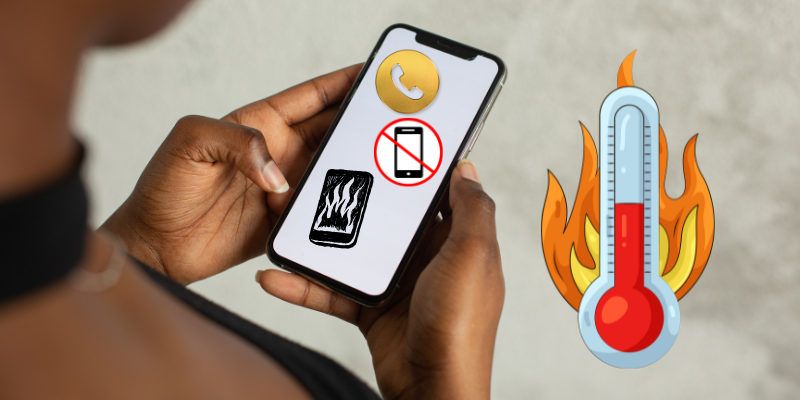
Modern smartphones are powerful computers packed into a small space. When internal temperature rises too much, it can cause:
- Faster battery degradation
- Sudden shutdowns
- Slower performance
- Hardware damage
- Reduced phone lifespan
Occasional warmth is normal, but frequent phone overheating without using any apps is not.
Top Reasons Phone Overheating Without Using Any Apps
1. Background Processes Running Silently
Even when no apps are open, many processes continue running in the background. These include system services, syncing, updates, and location tracking.
Some apps remain active even after closing them, causing background apps overheating phone issues.
Signs:
- Phone warms up while idle
- Battery drains quickly
- Data usage increases unexpectedly
2. Poor Network Signal
A weak signal forces your phone to work harder to stay connected. This is a major cause of phone overheating without using any apps, especially indoors.
Common situations:
- Basements
- Elevators
- Rural areas
- Buildings with thick walls
Your phone continuously searches for a stable signal, raising CPU usage and heat.
3. Software Bugs or Faulty Updates
After a system update, some users notice sudden phone overheating. Bugs can cause background loops that overload the processor.
This happens on both platforms and is a common complaint in iPhone vs Android overheating discussions.
4. Battery Health Issues
An aging or damaged battery can overheat even when the phone is idle. As batteries degrade, they become less efficient and generate more heat.
Warning signs:
- Phone heats near battery area
- Battery drains unusually fast
- Phone shuts down unexpectedly
5. Location Services Always On
GPS and location tracking are power-hungry features. If multiple apps constantly access location data, your phone may overheat even when unused.
Apps like maps, weather, and social media frequently refresh location data in the background.
6. Malware or Spyware
Malicious software can secretly use your phone’s resources. This is a serious but often overlooked phone overheating cause.
Malware may:
- Track activity
- Send data remotely
- Run hidden background processes
This not only causes overheating but also threatens privacy and security.
7. Environmental Factors
Heat isn’t always caused by software. External factors play a role too.
Examples:
- Leaving phone in sunlight
- Hot rooms or cars
- Thick phone cases trapping heat
These conditions worsen existing internal heat problems.
iPhone vs Android: Which Overheats More?
iPhone Overheating
iPhones have strict app controls, but overheating still occurs due to:
- iOS bugs
- Background syncing
- Battery health decline
- Weak signal zones
Apple devices often show temperature warnings and limit performance to prevent damage.
Android Overheating
Android phones vary by manufacturer, hardware, and software optimization. Overheating is often caused by:
- Custom UI bugs
- Aggressive background apps
- Less optimized updates
The iPhone vs Android overheating debate isn’t about which is worse — both platforms can overheat for different reasons.
How to Fix Phone Overheating Without Using Any Apps
1. Restart Your Phone
A simple restart clears stuck background processes and temporary bugs.
2. Check Battery Usage
Go to battery settings and look for apps consuming power while idle. Remove or restrict unnecessary ones.
3. Update Your Software
Install the latest system updates. Developers often release patches to fix overheating issues.
4. Disable Unnecessary Location Services
Turn off location access for apps that don’t need it constantly.
5. Improve Network Conditions
Switch to airplane mode temporarily in low-signal areas to prevent overheating.
6. Remove Heavy Phone Cases
Some cases trap heat. Try using your phone without a case for a while.
7. Scan for Malware
Use trusted security tools to check for hidden threats, especially if overheating is sudden and unexplained.
How to Prevent Phone Overheating Long-Term
Prevention is better than repair. Here’s how to reduce overheating risks permanently:
- Keep software updated
- Avoid cheap chargers
- Don’t expose phone to extreme heat
- Limit background apps
- Maintain battery health
- Secure your phone from hackers
Understanding phone overheating early can save you from expensive repairs later.
When to Be Concerned
Seek professional help if:
- Phone gets hot even when powered off
- Overheating continues after factory reset
- Battery swells or smells
- Phone shuts down repeatedly
These may indicate serious hardware failure.
Final Thoughts
Phone overheating without using any apps is a warning sign you shouldn’t ignore. Whether it’s background activity, network issues, battery health, or security threats, identifying the cause early can prevent long-term damage.
By understanding phone overheating, comparing iPhone vs Android, and following proven fixes, you can keep your device safe, cool, and efficient.
Occasional warmth is normal, especially due to background system processes or network activity. However, frequent phone overheating without using any apps usually indicates software bugs, battery issues, or hidden background activity that should be checked.
Yes, weak network signals force your phone to constantly search for connectivity. This increases processor usage and power consumption, leading to phone overheating even when the device is idle.
Repeated phone overheating can significantly reduce battery health and lifespan. Excess heat causes chemical stress inside the battery, leading to faster degradation and reduced performance.
Yes, malware or spyware can run silently in the background, consuming system resources. This hidden activity often causes phone overheating, fast battery drain, and unusual data usage.
Both iPhone and Android devices can overheat depending on usage, software optimization, and hardware quality. The difference lies in how each system manages background processes and temperature control.
Mild warmth during charging is normal, but excessive heat is not. Overheating while charging may indicate faulty chargers, damaged cables, or battery health problems that should be addressed immediately.
A factory reset can fix phone overheating caused by software bugs or problematic apps. However, if overheating continues after reset, it may indicate a hardware or battery-related issue.






- Be Respectful
- Stay Relevant
- Stay Positive
- True Feedback
- Encourage Discussion
- Avoid Spamming
- No Fake News
- Don't Copy-Paste
- No Personal Attacks
- Be Respectful
- Stay Relevant
- Stay Positive
- True Feedback
- Encourage Discussion
- Avoid Spamming
- No Fake News
- Don't Copy-Paste
- No Personal Attacks
