Signs Your Phone Is Hacked Without You Knowing
Published: 09 Jan 2026
Smartphones store almost everything about our lives. From banking apps and emails to photos, passwords, and location data, your phone is a goldmine for hackers. The most dangerous part is that many cyberattacks happen quietly, without obvious alerts.
If you think phone hacking only happens to celebrities or large companies, think again. Millions of everyday users in the US are targeted every year through malware, phishing links, fake apps, and unsecured WiFi networks. So ond shouls also learn How to Secure Your WiFi Network from Hackers.
In this guide, you’ll learn the clear signs your phone is hacked without you knowing, how hackers gain access, and most importantly, how to protect your phone from hackers before serious damage is done.
Why Phone Hacking Is Increasing in the US
Cybercriminals increasingly focus on smartphones because people trust them more than computers. Many users install apps without checking permissions, connect to public WiFi, and reuse passwords across multiple accounts.
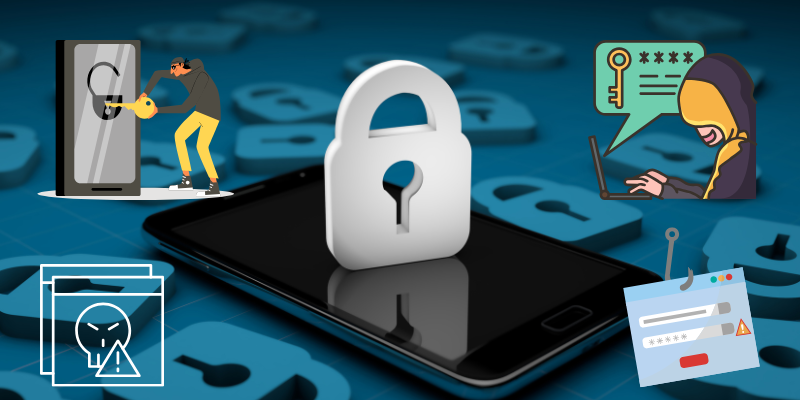
Hackers exploit these habits using:
- Spyware apps
- Phishing messages
- Malicious WiFi networks
- Fake system updates
- Data leaks and credential stuffing
The result is silent access to your private data.
Top Signs Your Phone Is Hacked Without You Knowing
1. Sudden Battery Drain Without Heavy Use
If your phone battery suddenly drains much faster than usual, it can be a red flag. Malicious apps often run in the background, sending data to remote servers.
Normal battery aging happens slowly. Rapid battery loss, especially overnight, is one of the most common phone malware symptoms.
2. Phone Overheats When Idle
A hacked phone may feel warm even when you’re not actively using it. Background spyware processes consume CPU power, causing overheating.
This is especially suspicious if:
- Your phone heats up in airplane mode
- It gets hot while locked
- No heavy apps are running
3. Unusual Data Usage Spikes
Hackers often transfer stolen data silently. If your mobile data usage jumps unexpectedly, especially when you haven’t changed your habits, investigate immediately.
Check for:
- Apps using data in the background
- High usage during inactive hours
- Data consumption by unknown apps
4. Strange Pop-Ups, Ads, or Redirects
If ads appear outside browsers or apps open on their own, your phone may be infected with adware or malware.
These pop-ups can:
- Redirect you to fake websites
- Trick you into installing more malware
- Steal login credentials
This is a major indicator that your smartphone security has been compromised.
5. Apps You Don’t Remember Installing
Hackers sometimes install malicious apps remotely or disguise them as system tools.
Warning signs include:
- Apps with generic names
- Apps without icons
- Apps requesting excessive permissions
Immediately review installed apps if you suspect your phone is hacked.
6. Unusual Charges or Subscription Fees
Unexpected charges on your phone bill or app store account may indicate fraud. Some malware secretly subscribes users to paid services.
Always check:
- Carrier billing statements
- App store purchase history
- Email confirmations
7. Phone Behaves on Its Own
If your phone sends messages, opens apps, or turns settings on or off without your input, this is a serious warning sign.
This behavior may indicate:
- Remote access tools
- Spyware apps
- Compromised system permissions
8. Security Alerts From Accounts
Password reset emails or login alerts you didn’t request often mean hackers accessed your device or credentials.
This usually happens after:
- Clicking phishing links
- Installing fake apps
- Using public WiFi without protection
How Hackers Gain Access to Phones
Understanding attack methods helps you prevent them.
Common Entry Points
- Fake app downloads
- Phishing emails and SMS
- Public WiFi networks
- Weak passwords
- Outdated operating systems
Once inside, hackers can monitor activity, steal data, and even lock users out of their devices.
How to Protect Your Phone from Hackers (Essential Steps)
If you’ve noticed any signs your phone is hacked without you knowing, take action immediately.
1. Update Your Operating System
Security updates patch vulnerabilities that hackers exploit. Always install updates from official sources.
2. Remove Suspicious Apps
Uninstall apps you don’t recognize. If an app can’t be removed, back up your data and reset your phone.
3. Use Strong Passwords and Biometrics
Avoid reusing passwords across apps. Enable fingerprint or face unlock wherever possible.
4. Secure Your Internet Connection
Avoid public WiFi for sensitive activities. Learning how to protect your phone from hackers also means understanding network security.
Use:
- Secure home WiFi passwords
- Encrypted connections
- Trusted networks only
5. Enable Two-Factor Authentication
2FA adds a critical layer of security even if passwords are compromised.
6. Install Trusted Security Software
Use reputable mobile security apps that scan for malware and block phishing attempts.
7. Perform a Factory Reset (Last Resort)
If suspicious behavior continues, a factory reset removes most malware. Back up only essential data before resetting.
Android vs iPhone: Are iPhones Safer?
iPhones have stronger app controls, but no device is immune. Jailbreaking, phishing, and fake profiles can still compromise iOS devices.
Both platforms require:
- Regular updates
- Careful app installation
- Strong account security
Why Early Detection Matters
The longer a phone remains hacked, the greater the risk:
- Financial theft
- Identity fraud
- Data leaks
- Blackmail and surveillance
Early action can prevent long-term damage.
Look for sudden battery drain, overheating, high data usage, unknown apps, or security alerts from your accounts. These are common signs your phone is hacked without you knowing.
Yes. Hackers can exploit unsecured WiFi, phishing links, or outdated software to access your phone remotely.
In most cases, yes. A factory reset removes malware, but you must update your phone and avoid restoring suspicious apps.
Public WiFi networks can expose your phone to man-in-the-middle attacks, especially if the network is unsecured.
iPhones have stronger app restrictions, but phishing attacks and data breaches can still compromise them.
Keep your phone updated, use strong passwords, enable two-factor authentication, avoid suspicious apps, and secure your internet connection.



- Be Respectful
- Stay Relevant
- Stay Positive
- True Feedback
- Encourage Discussion
- Avoid Spamming
- No Fake News
- Don't Copy-Paste
- No Personal Attacks
- Be Respectful
- Stay Relevant
- Stay Positive
- True Feedback
- Encourage Discussion
- Avoid Spamming
- No Fake News
- Don't Copy-Paste
- No Personal Attacks
