Why Bluetooth Earbuds Disconnect Randomly
Published: 02 Feb 2026
Bluetooth earbuds are one of the most convenient tech accessories today—until they suddenly disconnect for no clear reason. If you’ve ever wondered why Bluetooth earbuds disconnect randomly, you’re not alone. Millions of users search for this exact issue every month, especially when calls drop, music stops, or one earbud disconnects while the other keeps playing.
In this guide, we’ll break down the real reasons Bluetooth earbuds disconnect randomly, how to fix each problem step by step, and how to choose more reliable options when buying the best wireless earbuds. Whether you use budget earbuds or premium ones, this article will help you stop random disconnections permanently
Why Bluetooth Earbuds Disconnect Randomly: The Real Reasons
Bluetooth technology is wireless, but it’s not flawless. Random disconnections usually happen due to signal instability, device conflicts, or hardware limitations.
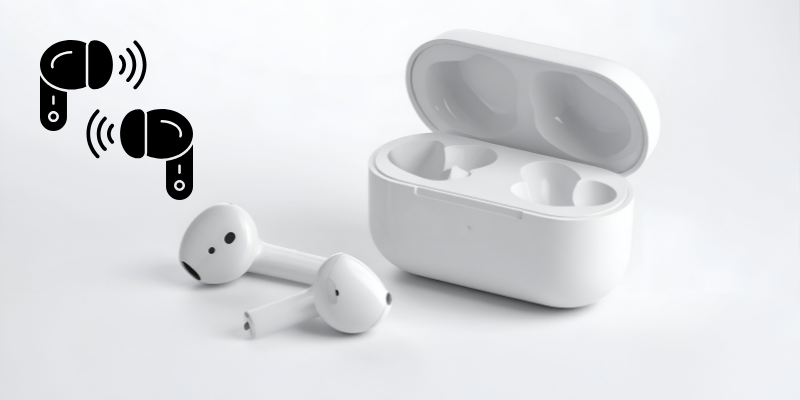
Let’s explore the most common causes 👇
1. Bluetooth Signal Interference (Most Common Reason)
One of the biggest reasons Bluetooth earbuds disconnect randomly is signal interference. Bluetooth works on the 2.4GHz frequency—the same range used by WiFi routers, smart TVs, microwaves, and even other Bluetooth devices.
What causes interference?
- Crowded places (gyms, malls, offices)
- Multiple Bluetooth devices connected at once
- WiFi routers placed nearby
- Smart home devices running in the background
How to fix it:
- Turn off unused Bluetooth devices
- Move away from WiFi routers
- Avoid crowded wireless environments
- Keep your phone within 1–2 meters of earbuds
2. Low Battery Levels Trigger Auto-Disconnect
When earbuds or the charging case battery drops too low, many models disconnect automatically to save power. This happens more often with budget earbuds that lack stable power management.
Signs this is the issue:
- One earbud disconnects first
- Audio cuts out suddenly
- Disconnection happens after 1–2 hours of use
Fix:
- Fully charge both earbuds and the case
- Avoid using earbuds below 20% battery
- Replace old earbuds if battery health is poor
3. Software Bugs and Outdated Firmware
If you’re asking “Why do my Bluetooth earbuds keep disconnecting even when fully charged?”, the issue may be software-related.
Outdated firmware or phone OS bugs can break Bluetooth stability.
What to do:
- Update your phone’s operating system
- Install the official earbuds companion app (if available)
- Update earbud firmware
- Restart your phone weekly to clear cache
4. Poor Bluetooth Version Compatibility
Older earbuds using Bluetooth 4.0 or 4.2 are far more prone to random disconnections than newer versions.
Why this matters:
- Bluetooth 5.0+ offers stronger signal
- Lower latency
- Better device switching
- Improved battery efficiency
Tip:
If your earbuds disconnect often, upgrading to best wireless earbuds with Bluetooth 5.2 or newer can make a huge difference.
5. Background Apps Killing Bluetooth Connections
Some Android phones aggressively close background processes to save battery. Unfortunately, this can also kill Bluetooth services—causing earbuds to disconnect randomly.
Fix on Android:
- Disable battery optimization for Bluetooth
- Allow background activity for music apps
- Turn off “Power Saving Mode”
Fix on iPhone:
- Reset network settings
- Enable Bluetooth permissions for apps
- Keep iOS updated
6. Physical Obstructions Block the Signal
Bluetooth signals don’t travel well through:
- Walls
- Metal objects
- Your own body (yes, really)
Keeping your phone in your back pocket while walking can cause Bluetooth audio cutting out.
Fix:
- Keep phone in front pocket or bag
- Avoid placing phone under desks
- Don’t block earbuds with thick clothing
7. Faulty Pairing or Device Conflicts
If your earbuds are paired with multiple devices (laptop, tablet, smartwatch), they may keep switching connections automatically.
Solution:
- Unpair earbuds from all devices
- Reset earbuds to factory settings
- Pair with only one device
- Disable Bluetooth on unused devices
8. Cheap Hardware and Low-Quality Chips
Let’s be honest—not all wireless earbuds are built the same.
Low-cost earbuds often use:
- Weak Bluetooth chips
- Poor antennas
- Unstable firmware
This results in frequent disconnections, lag, and audio drops.
Smart move:
Invest in best wireless earbuds that prioritize connection stability, not just design.
How to Fix Bluetooth Earbuds Disconnecting Randomly (Quick Checklist)
✔ Restart phone and earbuds
✔ Reset Bluetooth settings
✔ Update firmware and OS
✔ Charge earbuds fully
✔ Remove unused paired devices
✔ Reduce wireless interference
✔ Upgrade to Bluetooth 5.2+ earbuds
How to Choose the Best Wireless Earbuds (To Avoid This Problem)
When buying new earbuds, look for:
- Bluetooth 5.2 or higher
- Multipoint connection support
- Stable codec support (AAC, aptX)
- Strong battery performance
- Reliable brand firmware updates
Spending slightly more upfront saves endless frustration later.
👉 Internal Tip: If you’re researching upgrades, check our guide on Best Wireless Earbuds to find reliable options that don’t disconnect randomly.
Do Expensive Earbuds Disconnect Too?
Yes—but far less often.
Even premium earbuds can disconnect due to:
- Software bugs
- Heavy interference
- Phone issues
However, high-quality earbuds recover faster and maintain stronger signals.
Final Thoughts
If you’ve been frustrated and searching why Bluetooth earbuds disconnect randomly, the problem usually isn’t just one thing—it’s a mix of signal interference, battery limits, software issues, and hardware quality.
The good news?
Most issues are fixable without replacing your earbuds. And if replacement is needed, choosing the best wireless earbuds with modern Bluetooth standards will save you from future headaches.
This usually happens due to Bluetooth interference, outdated firmware, or background apps killing the connection. Updating software and resetting Bluetooth settings often fixes it.
Yes. WiFi routers operate on the same frequency as Bluetooth, which can cause interference—especially in crowded environments.
This often happens due to uneven battery drain or weak master-slave earbud synchronization, common in cheaper models.
Yes. Low-cost earbuds usually have weaker Bluetooth chips and poor firmware, leading to frequent disconnections.
Absolutely. Bluetooth 5.2 provides stronger connections, better battery efficiency, and fewer dropouts.
In many cases, yes. A factory reset clears pairing conflicts and restores stable connections.
Keep your phone close, close unused apps, disable battery optimization, and ensure your earbuds are fully charged.






- Be Respectful
- Stay Relevant
- Stay Positive
- True Feedback
- Encourage Discussion
- Avoid Spamming
- No Fake News
- Don't Copy-Paste
- No Personal Attacks
- Be Respectful
- Stay Relevant
- Stay Positive
- True Feedback
- Encourage Discussion
- Avoid Spamming
- No Fake News
- Don't Copy-Paste
- No Personal Attacks
