Best Free Alternatives to Dropbox (2026) – Secure, High Storage & Better Options
Published: 18 Apr 2026
If you’re searching for the best free alternatives to Dropbox, you’re not alone. While Dropbox is popular, its limited free storage (2GB) and paid upgrades push many users to look for better options.
The good news? There are powerful, secure, and completely best free cloud storage options that offer more space, better privacy, and advanced features.
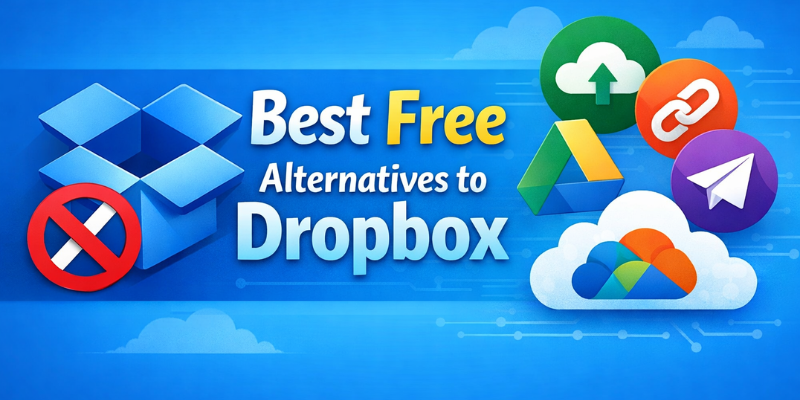
In this guide, we’ll break down the top free Dropbox alternatives that can help you store, share, and secure your files without spending a single dollar.
🔥 Best Free Alternatives to Dropbox Quick Comparison Table
| Service | Free Storage | Best For | Key Feature |
|---|---|---|---|
| Google Drive | 15GB | All users | Deep integration |
| MEGA | 20GB | Privacy lovers | End-to-end encryption |
| pCloud | 10GB | Lifetime users | Fast speeds |
| OneDrive | 5GB | Windows users | Microsoft integration |
| Sync.com | 5GB | Security | Zero-knowledge encryption |
🏆 1. Google Drive – Best Overall Free Alternative
Free Storage: 15GB
If you want a powerful and reliable Dropbox alternative, Google Drive is the top choice.
✅ Pros:
- Generous free storage
- Seamless integration with Docs, Sheets, Gmail
- Easy file sharing and collaboration
❌ Cons:
- Privacy concerns (data scanning)
👉 Best for: Students, professionals, and teams
People also search for: Best Free Alternatives to Google Drive
🔐 2. MEGA – Best for Privacy & Security
Free Storage: 20GB
MEGA stands out with end-to-end encryption, making it one of the most secure cloud storage options.
✅ Pros:
- High free storage
- Strong encryption
- Secure file sharing
❌ Cons:
- Transfer limits
👉 Best for: Users who care about privacy
⚡ 3. pCloud – Best for Speed & Reliability
Free Storage: 10GB
pCloud offers fast uploads/downloads and a clean interface.
✅ Pros:
- Smooth performance
- Media streaming support
- Optional lifetime plans
❌ Cons:
- Encryption is paid
👉 Best for: Media users and everyday storage
💻 4. Microsoft OneDrive – Best for Windows Users
Free Storage: 5GB
Perfect for anyone using Windows and Microsoft tools.
✅ Pros:
- Built into Windows
- Integration with Office apps
- Reliable syncing
❌ Cons:
- Limited free space
👉 Best for: Office and Windows users
🛡️ 5. Sync.com – Best for Zero-Knowledge Security
Free Storage: 5GB
Sync.com is known for zero-knowledge encryption, meaning even the company cannot access your files.
✅ Pros:
- Strong privacy protection
- Secure sharing
- Simple interface
❌ Cons:
- Slower speeds
👉 Best for: Sensitive files and business users
📊 Free vs Dropbox – Which One Wins?
Compared to Dropbox, most alternatives offer:
- More free storage
- Better privacy options
- Advanced features without upgrading
👉 Unless you’re already locked into Dropbox’s ecosystem, switching is often the smarter choice.
🧠 How to Choose the Best Free Cloud Storage
When selecting a Dropbox alternative, consider:
- Storage space – How much free GB you need
- Security – Encryption and privacy policies
- Ease of use – Interface and syncing
- Compatibility – Works on your devices
🔥 Pro Tips to Maximize Free Cloud Storage
- Use multiple services together (combine 50GB+ total space)
- Take advantage of referral bonuses
- Backup files across platforms for safety
🏁 Final Verdict
While Dropbox is still popular, it’s no longer the best free option.
If you want:
- More storage → Google Drive
- Better privacy → MEGA or Sync.com
- Smooth performance → pCloud
👉 Choosing the right alternative can save money and improve your workflow.
The best free alternatives to Dropbox include Google Drive, MEGA, pCloud, Microsoft OneDrive, and Sync.com. These platforms offer more storage and better features.
MEGA offers one of the highest free storage plans (up to 20GB), making it a top choice for users needing extra space.
Yes, services like Google Drive and MEGA provide free storage plans with no cost, though they may have limitations.
Most reputable cloud storage services use encryption. Platforms like Sync.com offer zero-knowledge encryption for maximum security.
Yes, you can combine services like Google Drive and pCloud to increase your total free storage.
Dropbox offers limited free storage to encourage users to upgrade to paid plans, which is why many users look for alternatives.




- Be Respectful
- Stay Relevant
- Stay Positive
- True Feedback
- Encourage Discussion
- Avoid Spamming
- No Fake News
- Don't Copy-Paste
- No Personal Attacks
- Be Respectful
- Stay Relevant
- Stay Positive
- True Feedback
- Encourage Discussion
- Avoid Spamming
- No Fake News
- Don't Copy-Paste
- No Personal Attacks
