Why Phone Battery Drains Overnight Even When Off
Published: 10 Jan 2026
You put your phone down at night with a healthy battery percentage. In the morning, you pick it up and realize the battery has dropped significantly, even though the phone was off or barely used. If this sounds familiar, you’re not alone.
Many users search daily for why phone battery drains overnight, and the reasons are often hidden in system processes, settings, or hardware behavior that most people don’t notice.
In this guide, we’ll explain why phone battery drains overnight even when off, compare iPhone vs Android, and show you exactly how to stop it. This article is written for everyday users who want real solutions, not technical confusion.
Why Overnight Battery Drain Is So Common Today
Modern smartphones are never truly “off” unless powered down completely. Even when the screen is off, many background processes continue running. These include system updates, network connections, location services, and background app syncing.
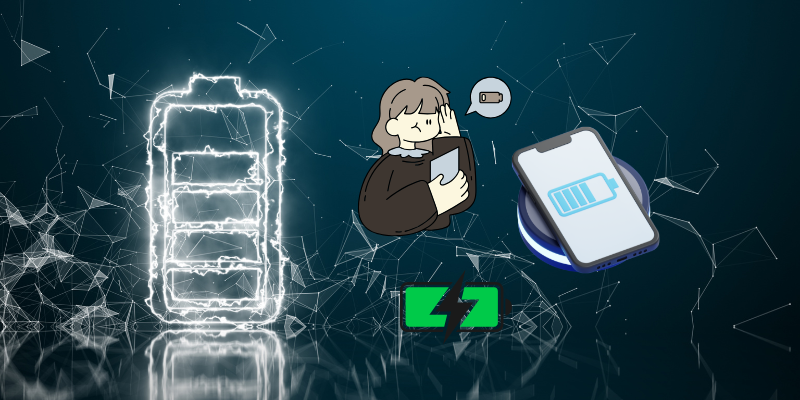
Because phones today are more powerful and connected than ever, overnight battery drain has become a widespread issue, especially in the US, where users rely heavily on cloud services and always-on apps.
Top Reasons Why Phone Battery Drains Overnight
1. Background Apps Still Running
Even if you close apps manually, many continue running background tasks. Social media apps, email clients, and cloud backups often sync data at night.
This is one of the most common answers to why phone battery drains overnight, especially on phones with many installed apps.
2. Poor Cellular or WiFi Signal
When your phone struggles to maintain a signal, it uses extra power searching for a stable connection. This happens frequently at night when phones are idle.
Low signal areas cause:
- Increased battery usage
- Constant network scanning
- Faster overnight drain
3. Battery Aging and Health Degradation
Over time, lithium-ion batteries lose capacity. Even if your phone is “off,” an older battery can lose charge faster than a new one.
If your phone is over two years old, battery health may be the main reason for battery drain when phone is off.
4. System Updates and Background Sync
Phones often schedule updates at night. Software updates, app updates, and cloud backups can all run while you sleep.
These processes may not be visible but significantly impact battery life.
5. Location Services and Sensors
GPS, Bluetooth, and motion sensors can remain active overnight. Some apps continuously request location data even when not in use.
This hidden activity is a major contributor to smartphone battery problems.
6. Always-On Display and Notifications
Features like Always-On Display, background notifications, and vibration alerts consume power throughout the night.
Even small actions repeated hundreds of times can cause noticeable battery loss.
7. Hardware or Charging Issues
Faulty charging cables, damaged ports, or poor-quality chargers can result in incomplete charging. This makes it seem like the battery drained overnight when it never reached full charge.
iPhone vs Android: Which Drains More Overnight?
iPhone Battery Draining Overnight
iPhones generally have strong background app restrictions, but iCloud syncing, Find My services, and background refresh can still drain the battery.
Common causes on iPhone:
- iOS updates downloading overnight
- iCloud photo backups
- Background app refresh enabled
Android Battery Drain Overnight
Android phones allow more background customization, which can be both a strength and a weakness. Some Android devices allow apps to stay active longer.
Common causes on Android:
- Manufacturer-added background apps
- Poorly optimized third-party apps
- System services running continuously
Overall, iPhone vs Android battery drain depends more on settings and usage than the operating system itself.
How to Check What’s Draining Your Battery
Both iPhone and Android provide battery usage breakdowns.
Check for:
- Apps using power overnight
- System services consuming battery
- Network-related battery usage
This step alone often reveals the main cause of overnight battery drain.
How to Stop Phone Battery Draining Overnight
1. Limit Background App Activity
Restrict background activity for apps you don’t need overnight. This can dramatically reduce battery usage.
2. Turn On Airplane Mode at Night
Airplane mode disables cellular, WiFi, and Bluetooth. If you don’t need overnight connectivity, this is one of the most effective solutions.
3. Disable Location Services for Unnecessary Apps
Only allow location access for essential apps. Set others to “While Using” instead of “Always.”
4. Turn Off Always-On Display
Disabling this feature can save a noticeable amount of battery, especially overnight.
5. Keep Software Updated
Updates often include battery optimizations. Running outdated software can worsen battery drain issues.
6. Replace an Old Battery
If battery health is significantly degraded, no setting will fully fix the issue. Battery replacement is often the best long-term solution.
Myths About Overnight Battery Drain
- “Turning the phone off stops all battery drain”
Not always. Batteries naturally lose charge, and some phones still use minimal power. - “Only Android phones have this issue”
False. iPhone battery draining overnight is also very common. - “Closing all apps fixes everything”
Helpful, but not enough if system services are draining power.
When Overnight Battery Drain Becomes a Serious Problem
You should take action if:
- Battery drops more than 20–30% overnight
- Phone overheats while idle
- Battery percentage fluctuates randomly
These can indicate deeper battery health issues or software problems.
Long-Term Battery Care Tips
- Avoid charging to 100% every night
- Keep battery between 20%–80%
- Use certified chargers
- Avoid extreme temperatures
These habits improve battery lifespan and reduce overnight drain.
Final Thoughts
Understanding why phone battery drains overnight helps you avoid frustration and extend your phone’s lifespan. In most cases, simple setting changes can fix the issue. For older phones, battery replacement may be the best solution.
Whether you use iPhone or Android, smart battery management can save you money, time, and stress.
Battery aging, background system processes, poor network signal, and software updates can cause battery loss even when the phone appears off.
Yes, a small drop of 5–10% is normal. Losing more than 20% overnight usually indicates a problem.
Airplane mode greatly reduces battery drain by disabling networks, but minor battery loss may still occur.
Background syncing, weak signals, and system updates often run at night, increasing power usage.
Neither consistently drains more. Battery health, settings, and installed apps matter more than the operating system.
Modern phones manage charging well, but keeping the battery at 100% for long periods can reduce battery lifespan.





- Be Respectful
- Stay Relevant
- Stay Positive
- True Feedback
- Encourage Discussion
- Avoid Spamming
- No Fake News
- Don't Copy-Paste
- No Personal Attacks
- Be Respectful
- Stay Relevant
- Stay Positive
- True Feedback
- Encourage Discussion
- Avoid Spamming
- No Fake News
- Don't Copy-Paste
- No Personal Attacks
